Polls, surveys, and quizzes remain open by default, unless you choose to close them on a preset date or until you close them manually. Opening and closing polls, surveys, and quizzes can be done in two ways. Note that ratings are open, unless you remove them from your website.
In this document, we’ll use a poll as an example, but the process is the same for surveys and quizzes.
Closing Content
You can close a piece of content using two options:
- Actions dropdown menu
- Three vertical dots menu (Kebab menu)
Actions Menu
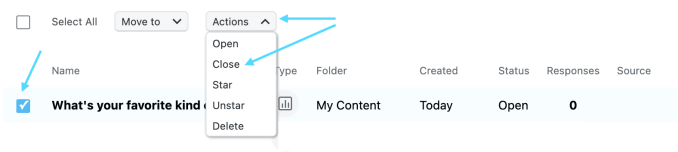
- Select the checkbox of the piece of content you would like to close.
- Two dropdown menus will show up at the top, click Actions.
- Click Close.
Kebab menu
- Locate the piece of content you would like to close.
- Hover over it, on your right-hand click the Kebab menu.
- Click Close.

Once closed, the status of your piece of content will update to reflect the change.

Opening Content
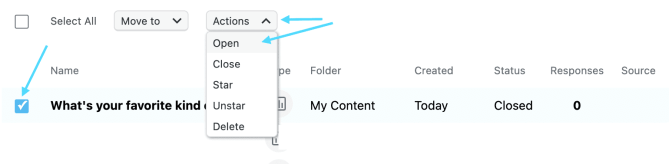
The same instructions outlined above apply for opening content.


 Crowdsignal