To change aspects of your profile, your dashboard’s language, and see your billing history, visit your My Account page.
A Note on WordPress.com Login Credentials vs. Email in Crowdsignal
Your WordPress.com account credentials are used to get you logged in to the Crowdsignal account at app.crowdsignal.com.
The “email address” you set under Account Details is used for all Crowdsignal-related activities, such as notifying you of survey results, or use it to set as from on emails you send (e.g., sending surveys via email).
In other words, your Crowdsignal account is a WordPress.com account. The email set within the Crowdsignal My account page can be used specifically for all internal functions of Crowdsignal. This distinction allows you to have a really generic email address set up (such as webmaster@website.com) but use your own WordPress.com credentials to login.
To learn more about connecting and disconnecting your WordPress.com account from your Crowdsignal account, check out this guide.
Accessing My Account Page
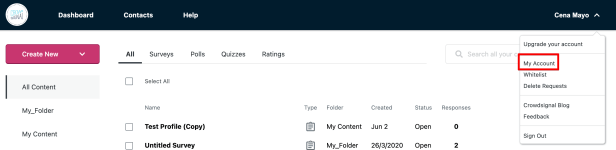
Click on your name in the top right. That will show a dropdown menu. Click on My Account to view your account. There, you can change your username, bio, check out your billing history, change your timezone or location, add domain mapping or even close your account.
About You
This section of Your Account will allow you to update your timezone, password, name, email, and language:

Account Details
Next, you can check out your Account Details. This has information about your current account type (Free or paid subscription.) If you have a paid subscription, you can download a copy of your invoice in your Billing History.

Please note that if you cancel a paid subscription, your Billing History will no longer be available. Please contact us if you need a copy of a past invoice.
You can update your pament details in Update Payment Details. This will NOT charge your new card immediately, but Crowdsignal will use that card on the next renewal date.
Remaining Signals is of primary interest to Free users, who are limited to 2500 signals total.
API Keys
API Keys are used in conjunction with:
- Crowdsignal Forms plugin
- Crowdsignal Polls & Ratings plugin
- the Crowdsignal API.
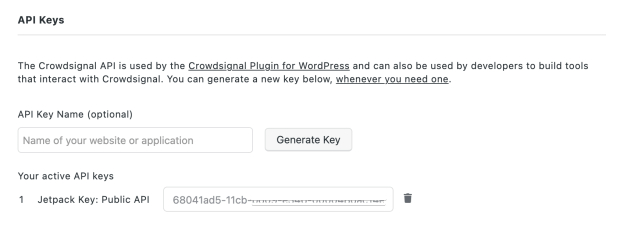
You can generate one (or more) by clicking on Generate Key.
Domain Mapping
Business and Team account holders can enter a domain to take advantage of our Domain Mapping feature:
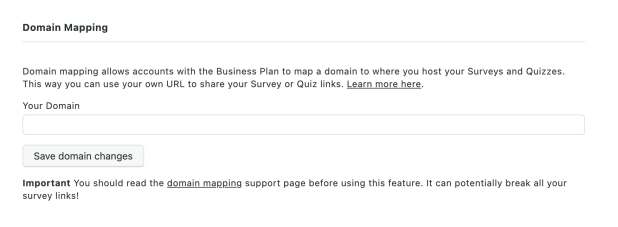
Please see our documentation on Domain Mapping for more information.
Custom Email Notifications
For Business and Team users, this allows you to change the email address from which Crowdsignal notification emails come.
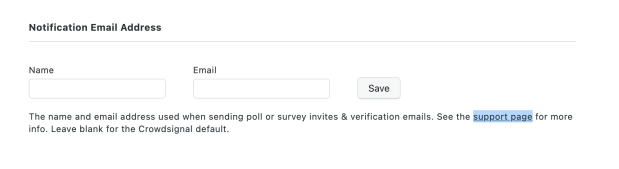
Please see our support documentation for more details on this feature.
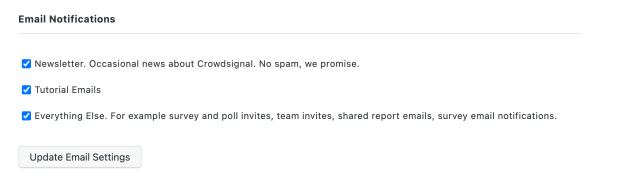
Email Notifications
These options allow you to control which emails you receive from Crowdsignal.
Closing your account
You can choose to Close your Account by clicking on the Close Account button.
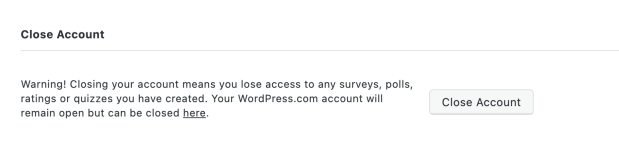
Please note that this will NOT close your WordPress.com account as well. If you want to close your WordPress.com account, please follow these directions.
 Crowdsignal