You can embed a poll as a slider popup that will slip smoothly into view when a visitor clicks on your post title.
First, you’ll want to create a poll.
Once you’re ready to embed your poll, hover over its row in your Crowdsignal.com dashboard and click on Share:

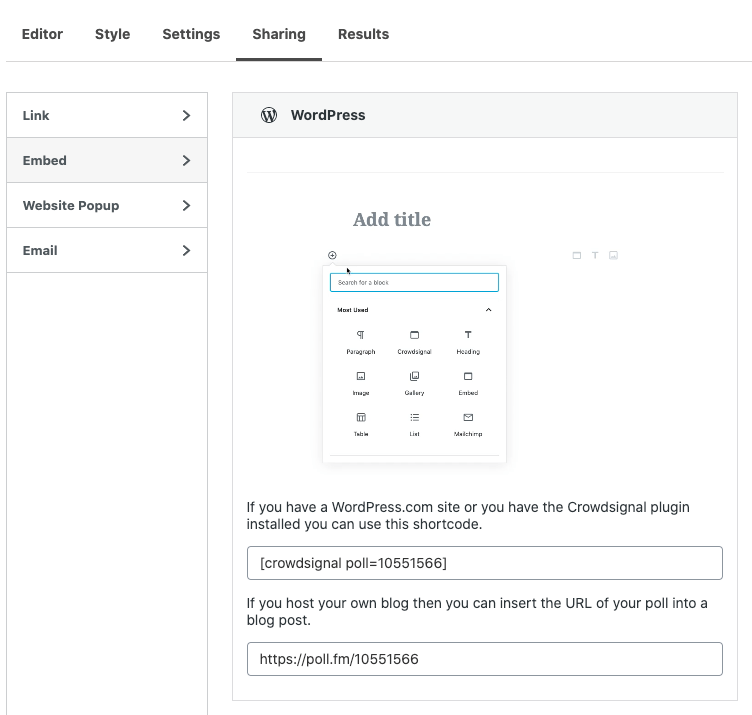
On the Share page, go to the Embed section and you’ll see a WordPress card. Copy the WordPress shortcode we supply:
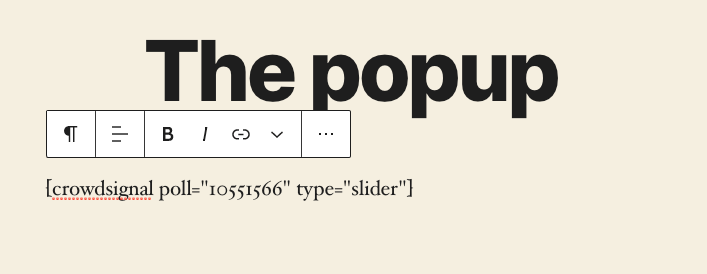
Paste the shortcode into a post on your WordPress site. Now here’s the trick to ensure your poll appears as a slider popup when a visitor clicks on the title of the post. Be sure to type in type="slider" within the shortcode, like so:
Publish your post. Now, when you click on the post’s title, you’ll see the slider popup slip smoothly into view:

You can learn more about Crowdsignal, or get your hands dirty and sign up for a free account. You can get started creating polls, surveys, quizzes, and ratings in minutes.
 Crowdsignal