The AI Survey Creator: from idea to survey in seconds
Writing a good survey takes time. You have to figure out the right questions, word them so they aren’t leading, choose the right answer types, and order everything so it flows. The new AI Survey Creator does that first draft for you.
Describe what you would like to learn, such as “measure how new users feel after onboarding”, and Crowdsignal builds an editable survey, questions and all, in a few seconds. Tweak and edit the survey, or publish it as is.
How it works
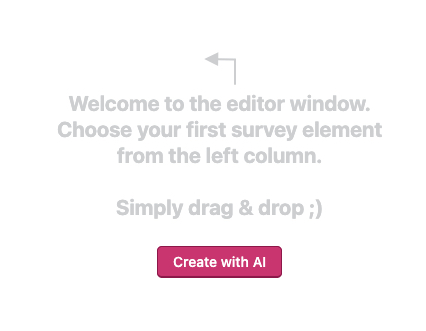
- Start a new survey. Instead of a blank editor, you’ll see a Create with AI button.
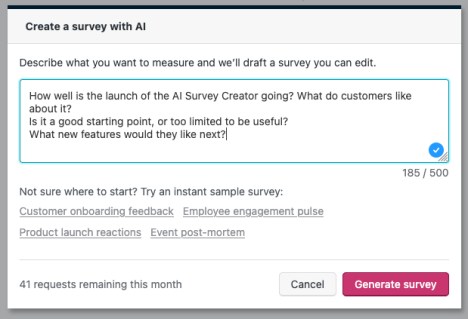
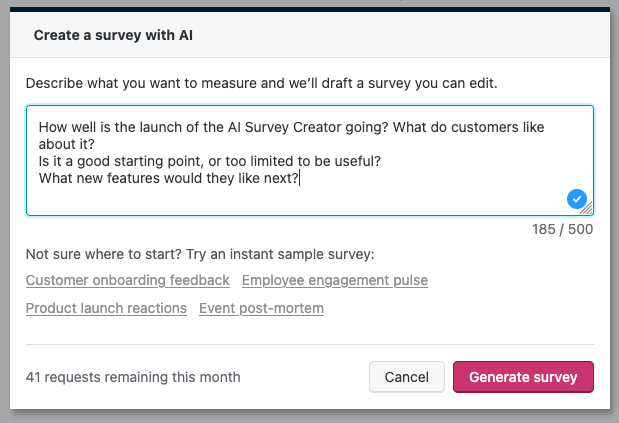
- Click that and type a sentence or two describing your goal into the prompt box that appears.
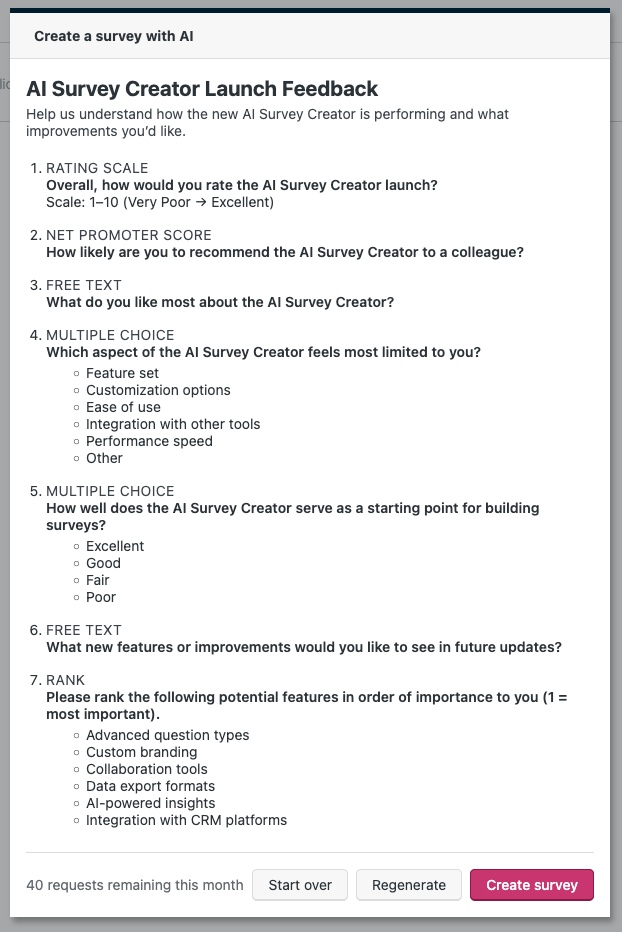
- Hit “Generate Survey”. A few seconds later you’re looking at a real draft of the survey including a title, description, and a full set of questions.
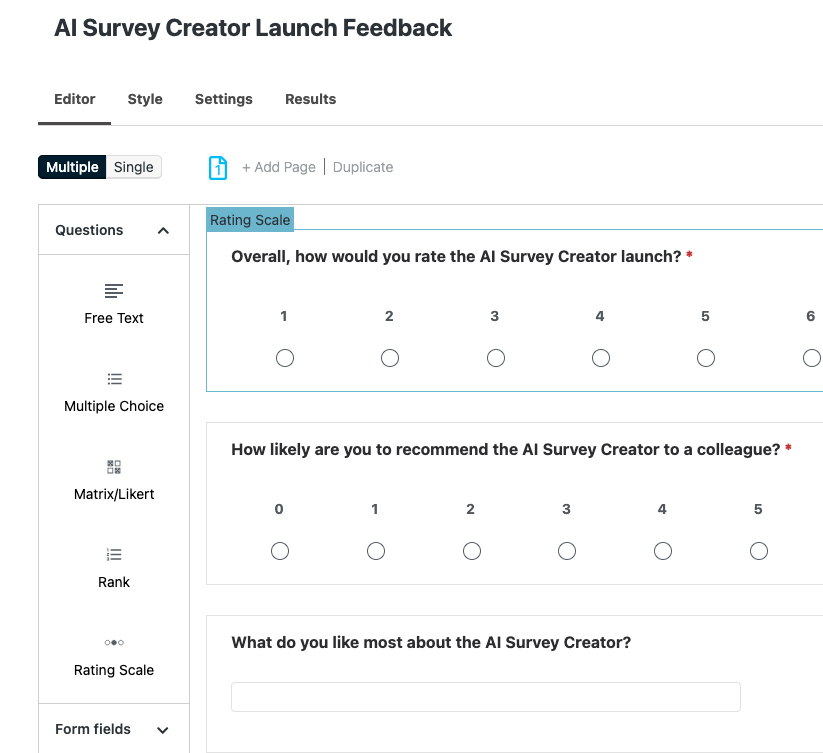
- Edit anything you like, regenerate for a different take, or click Create survey to make it live.
For example, type “a post-event feedback survey for a one-day workshop” and you’ll get back a titled survey with questions like how attendees rated the sessions, what they’d change, and whether they’d recommend it — each with sensible answer types already set. From there it’s yours to edit.
Not sure where to start? Try an instant sample survey — a ready-made draft you can preview without using a request. It’s a quick way to see the shape of a finished survey before you write your own prompt.
Plans and pricing
The AI Survey Creator is available on every Crowdsignal plan with a verified email address:
- Free plan: 20 AI survey requests per month.
- Paid plans: 100 AI survey requests per month.
You’ll always see how many requests you have left for the month right in the editor, and instant sample surveys never count against your total.
A note on how it works
When you generate a survey, the description you type is sent to an AI model hosted by Automattic that drafts the questions for you. Instant sample surveys don’t use AI and aren’t sent anywhere. Inputs are not used to train any AI model. Learn more.
Try it today
Open Crowdsignal, start a new survey, and look for the Create with AI button. Describe what you want to learn, and see what it builds.
We’d love to hear what you think, especially where it nails your survey on the first try and where it doesn’t. Use the feedback form on the dashboard to let us know.